If you are a student, fresh graduate, or working professional in Pakistan, your LinkedIn profile can open doors to jobs, internships, and clients that a simple CV cannot. Recruiters all over the world use LinkedIn every day to find the right people. If your profile is weak or incomplete, they will never find you. This guide will show you exactly how to build a strong LinkedIn profile step by step.
What is LinkedIn?
LinkedIn is the world’s largest professional networking platform with over one billion users. It is used by job seekers, employers, freelancers, and businesses worldwide. Think of it as your digital resume that is always visible to recruiters — 24 hours a day, 7 days a week. Unlike a paper CV, LinkedIn lets you show your projects, get recommendations, and connect directly with hiring managers.
Why Your LinkedIn Profile Matters
- Recruiters search LinkedIn directly to find candidates — they may never see your CV otherwise.
- You can get found by companies in Pakistan, UAE, UK, Canada, and anywhere in the world.
- Freelancers on Fiverr and Upwork also use LinkedIn to build trust with clients.
- It is free to create and always working for you in the background.
- A good profile increases your chances of getting interview calls without applying anywhere.
What You Need Before You Start
- A working email address
- A professional photo (clear face, plain background)
- Your education details (degree, university, year)
- Your work experience or internship history (if any)
- A list of your top skills
Step-by-Step: Building Your LinkedIn Profile
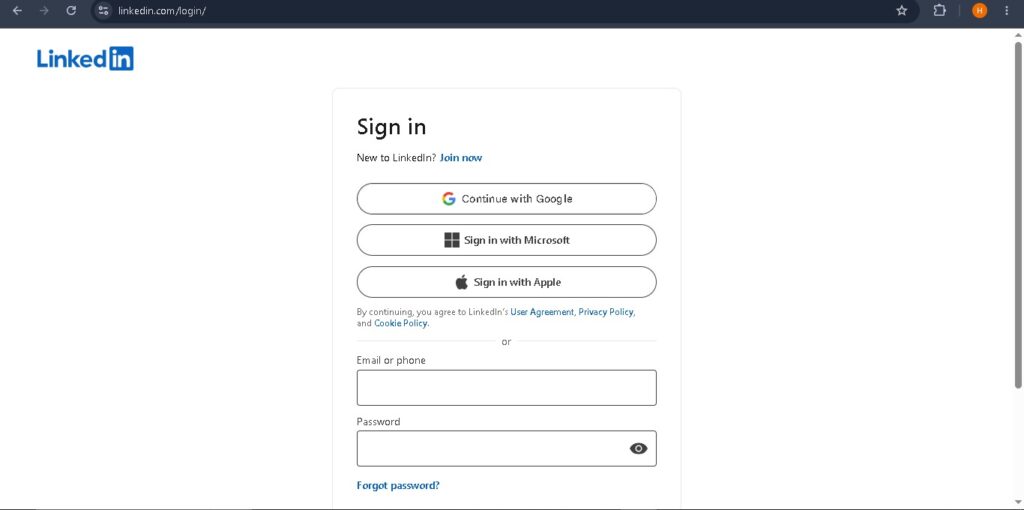
Step 1 — Sign Up or Log In
Go to linkedin.com and create a free account using your email. Use your real name exactly as it appears on your CNIC or degree. Do not use nicknames.
Step 2 — Add a Professional Profile Photo
Your photo is the first thing a recruiter sees. Use a clear, front-facing photo with a plain background. Wear formal or semi-formal clothes. Profiles with photos get 21 times more views than profiles without one.
Step 3 — Write a Strong Headline
Your headline appears right below your name. Do not just write “Student” or “Job Seeker”. Write what you do or what you want to do. For example: “BS Computer Science Student | Web Developer | Looking for Internship” or “Freelance Graphic Designer | Canva & Illustrator Expert”.
Step 4 — Write Your About / Summary Section
The About section is your chance to talk directly to a recruiter. Keep it short — 3 to 5 lines. Mention who you are, what you do, what skills you have, and what kind of work you are looking for. Write it in first person (“I am a…”).
Step 5 — Add Work Experience and Education
Add every job, internship, or freelance project you have done. For each one, write what you did and what results you achieved. Always add your university, degree, and graduation year in the Education section. Fresh graduates should also list their final year project.
Step 6 — Add Skills and Get Endorsements
Add at least 10 to 15 skills that match your field. For example: Python, SEO, WordPress, Graphic Design, MS Excel, Communication. Ask your friends, classmates, or colleagues to endorse your skills. Endorsed skills rank higher in recruiter searches.
Step 7 — Ask for Recommendations
A recommendation is a short review written by someone who has worked with you — a teacher, boss, or classmate. Even 2 or 3 recommendations can make your profile stand out. Ask your university professors or internship supervisors to write one for you.
Step 8 — Build Your Network
Connect with your classmates, teachers, former colleagues, and professionals in your field. Try to reach 500+ connections — this makes your profile appear more credible in searches. You can also follow companies you want to work for.
Step 9 — Stay Active on LinkedIn
Post once or twice a week about something useful in your field. Like and comment on posts by others. Share your achievements, certifications, or projects. Active profiles appear more in LinkedIn searches than inactive ones.
Extra Tips for Pakistani Job Seekers
- Add your LinkedIn profile URL to your CV, email signature, and Fiverr/Upwork profiles.
- Use English for your profile — international recruiters do not search in Urdu.
- Follow Pakistani companies like Systems Limited, NetSol, Arbisoft, and TRG to stay updated on openings.
- Join LinkedIn groups related to your field to connect with professionals.
- Add any online courses you have completed — Coursera, Google, Microsoft, or local ones like DigiSkills.
Common Mistakes to Avoid
- Using a selfie or casual photo as your profile picture.
- Leaving the headline blank or writing only “Looking for Job.”
- Copying your CV word-for-word instead of writing a proper summary.
- Never posting or engaging — an inactive profile ranks lower.
- Adding fake skills or experience you do not actually have.
- Not customizing your LinkedIn URL (it should look like linkedin.com/in/yourname).
Frequently Asked Questions
Is LinkedIn free to use?
Yes, the basic LinkedIn account is completely free. There is a paid plan called LinkedIn Premium, but you do not need it to get a job. The free account is more than enough for most job seekers.
Can fresh graduates with no experience use LinkedIn?
Yes, absolutely. Add your university projects, coursework, volunteer work, internships, and online certifications. Even a small project shows recruiters that you are serious about your field.
Do recruiters actually reach out on LinkedIn?
Yes, recruiters from Pakistan and abroad actively search LinkedIn and send direct messages to suitable candidates. A complete, active profile greatly increases your chances of being contacted.
How often should I update my LinkedIn profile?
Update it whenever you learn a new skill, complete a course, finish a project, or change your job. Do not leave it untouched for months. An updated profile shows you are active and growing.

Leave a Reply